Last Updated: December 15 2025
Overview
Export Simpro Premium labour rates data into a CSV file or text file which provides you a clear view of the specific rates for better monitoring and analysis. It is helpful to track and compare labour rates efficiently, helping you make informed decisions and avoid discrepancies. There are three types of labour rates available to export: customer labour rates, contract labour rates, and site labour rates.
You need to have the applicable security group permissions enabled to export.
 Required setup
In order to view content or perform actions referred to in this article you need to have the appropriate permissions enabled in your security group. Go to System > Setup > Security Groups and access your security group to update your permissions. The relevant security group tab and specific permissions for this article can be found here:
Before performing the steps detailed below, ensure that this part of your build is set up correctly. The relevant steps to set up the features and workflows detailed in this article can be found here:
Export Customer Labour Rates

Go to Export > Labour Rates, click Customer Labour Rates to export customer labour rates details. After you select the preferred Options and Filters, click Export.
Use the following filter options for Customer Labour Rates:
| Export Type | Select to export your customer labour rates list as a CSV or tab delimited file. |
| Customer Type | Export Customer, Lead or All. |
| Active / Archived |
Select Show Only Active Customers to export customers currently active in Simpro Premium. Select Show Active and Archived Customers to export both active and archived customers. Select Show only Archived Customers to export only archived customers. |
| Customer Profile | Export customers belonging to a specific customer profile. Alternatively, select No Customer Profile. Learn more in How to Use Customer Profiles. |
| Customer Created Date | Export customers created within a specific date range. |
| Customer Tag | Export customers with specific customer tags applied in Profile > Tags. Alternatively, select No Customer Tag. Learn more in How to Use Tags. |
On the Export Customer Labour Rates page, click Download to view the following information in the CSV file:
- Customer ID
- Customer Name
- Labour Rate Name
- Labour Rate Company ID
- Cost Price
- Sell Price
- Default
Export Customer Contract Labour Rates
Go to Export > Labour Rates, click Customer Contract Labour Rates to export customer contract labour rates details. After you select the preferred Options and Filters, click Export.
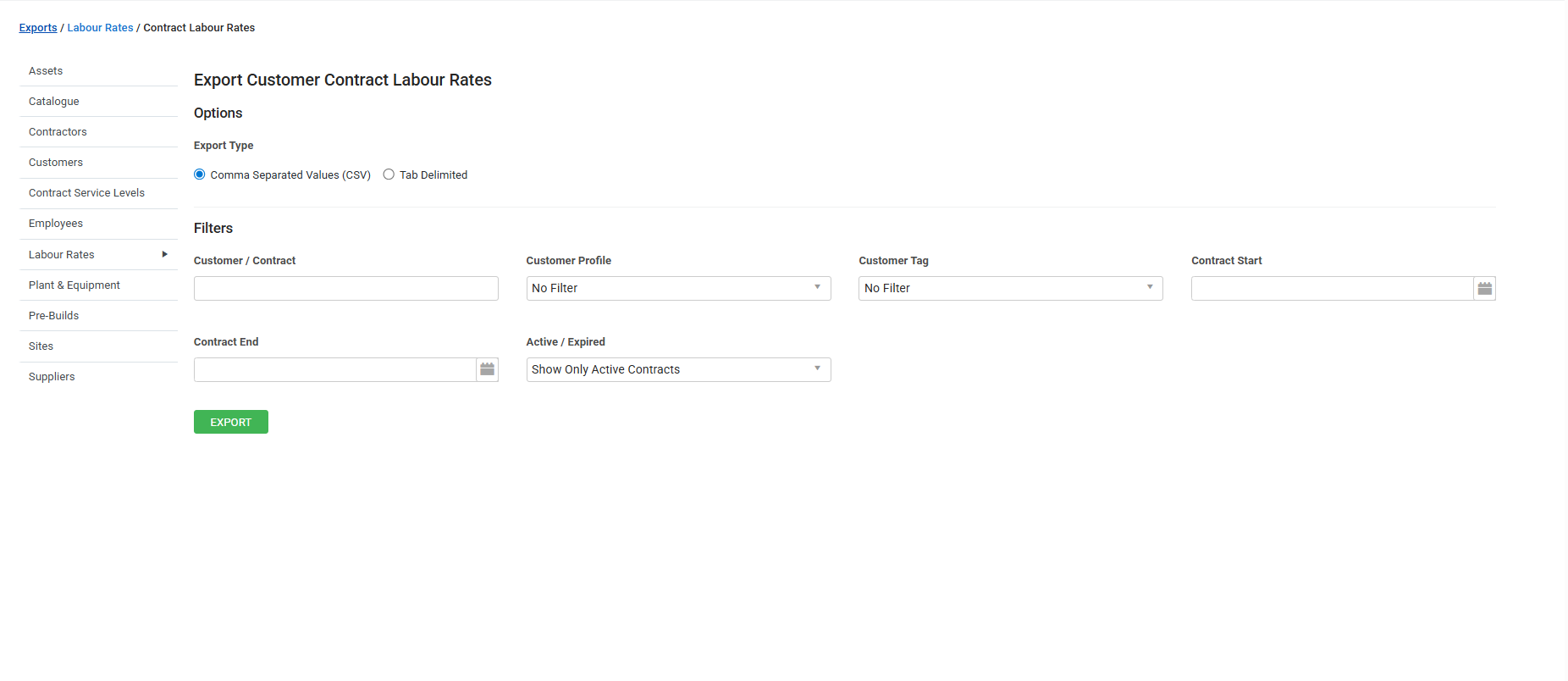
Use the following filter options for Customer Contract Labour Rates:
| Export Type | Select to export your customer labour rates list as a CSV or tab delimited file. |
| Customer / Contract | Search for or select a specific customer or contract. |
| Customer Profile | Export customers belonging to a specific customer profile. Alternatively, select No Customer Profile. Learn more in How to Use Customer Profiles. |
| Customer Tag | Export customers with specific customer tags applied in Profile > Tags. Alternatively, select No Customer Tag. Learn more in How to Use Tags. |
| Contract Start | Select a contract start date or date range to narrow down the results to your preferences. |
| Contract End | Select a contract end date or date range to narrow down the results to your preferences. |
| Active / Archived |
Select Show Only Active Customers to export customers currently active in Simpro Premium. Select Show Active and Archived Customers to export both active and archived customers. Select Show only Archived Customers to export only archived customers. |
On the Export Customer Contract Labour Rates page, click Download to view the following information in the CSV file:
- Customer ID
- Contract Name
- Customer Name
- Labour Rate Name
- Labour Rate Company ID
- Cost Price
- Sell Price
- Default
Export Site Labour Rates
Go to Export > Labour Rates, click Site Labour Rates to export site labour rates details. After you select the preferred Options and Filters, click Export.
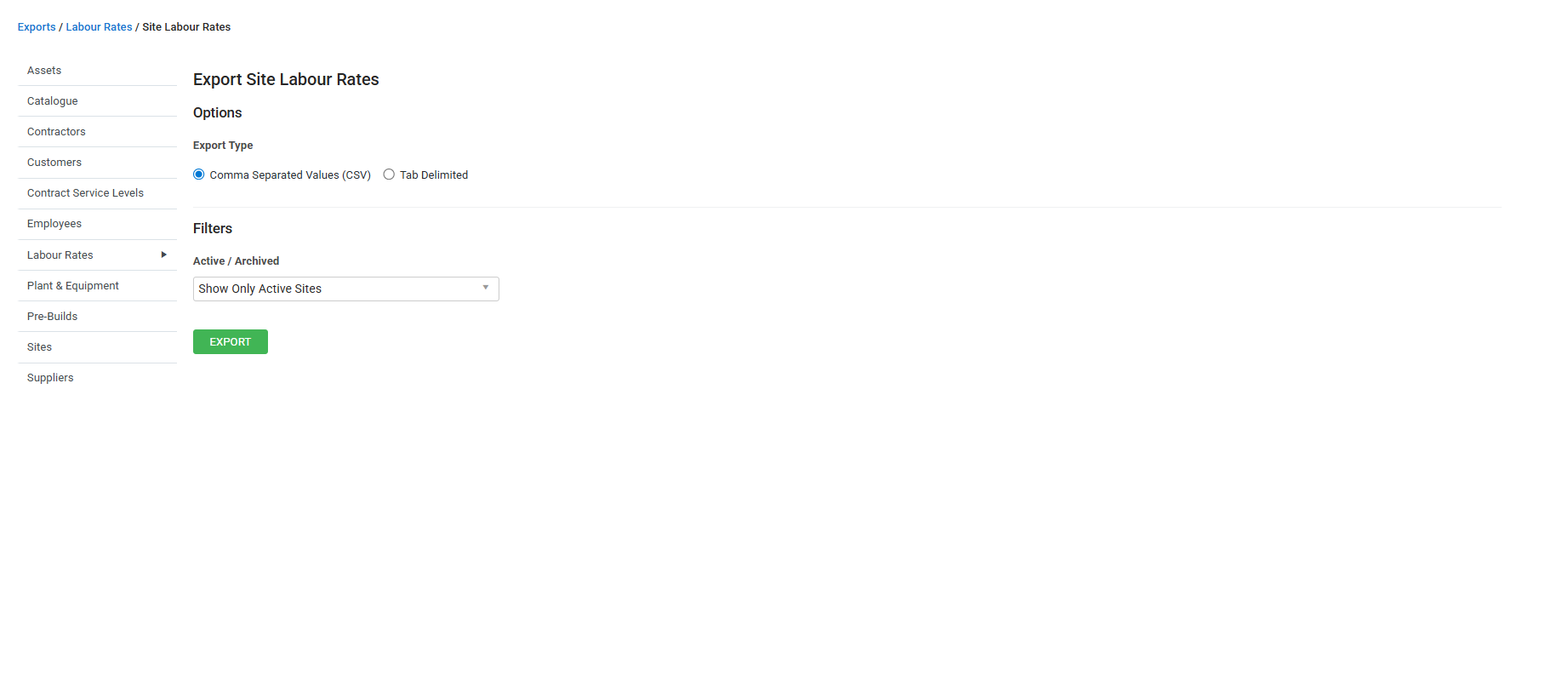
Use the following filter options for Site Labour Rates:
| Export Type | Select to export your customer labour rates list as a CSV or tab delimited file. |
| Active / Archived |
Select Show Only Active Sites to export sites currently active in Simpro Premium. Select Show Active and Archived Sites to export both active and archived sites. Select Show only Archived Sites to export only archived sites. |
On the Export Site Labour Rates page, click Download to view the following information in the CSV file:
- Site ID
- Site Name
- Labour Rate Name
- Labour Rate Company ID
- Cost Price
- Sell Price
- Default