Last Updated: December 08 2025
Simpro Premium 25.4.5
What's new in Simpro Premium: from 30 November 2025 AEST
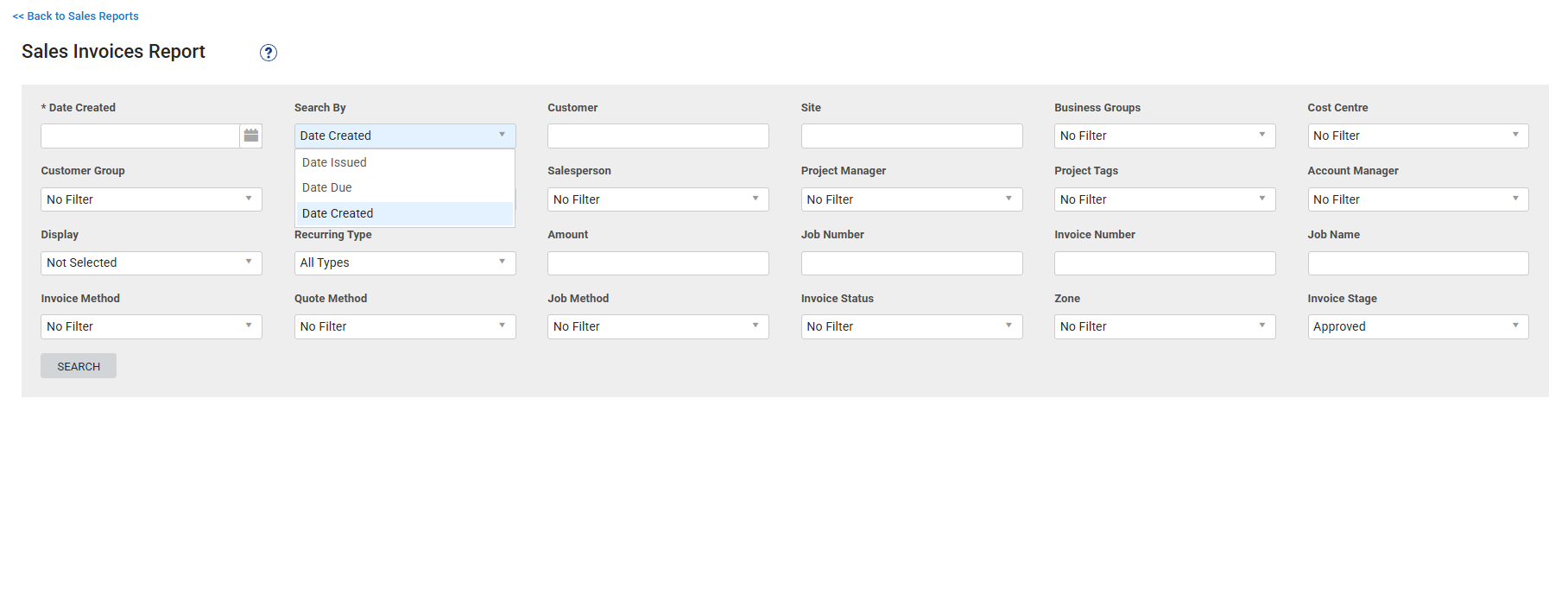
“Date Created” filter is available in the Sales Invoices Report
We've added a new Date Created option under the Search By field in the Sales Invoices Report, so you can narrow down invoice results and find specific records more efficiently.
|
Get a sneak peek |
|---|
|
|
| Read the Help Guide |
|---|
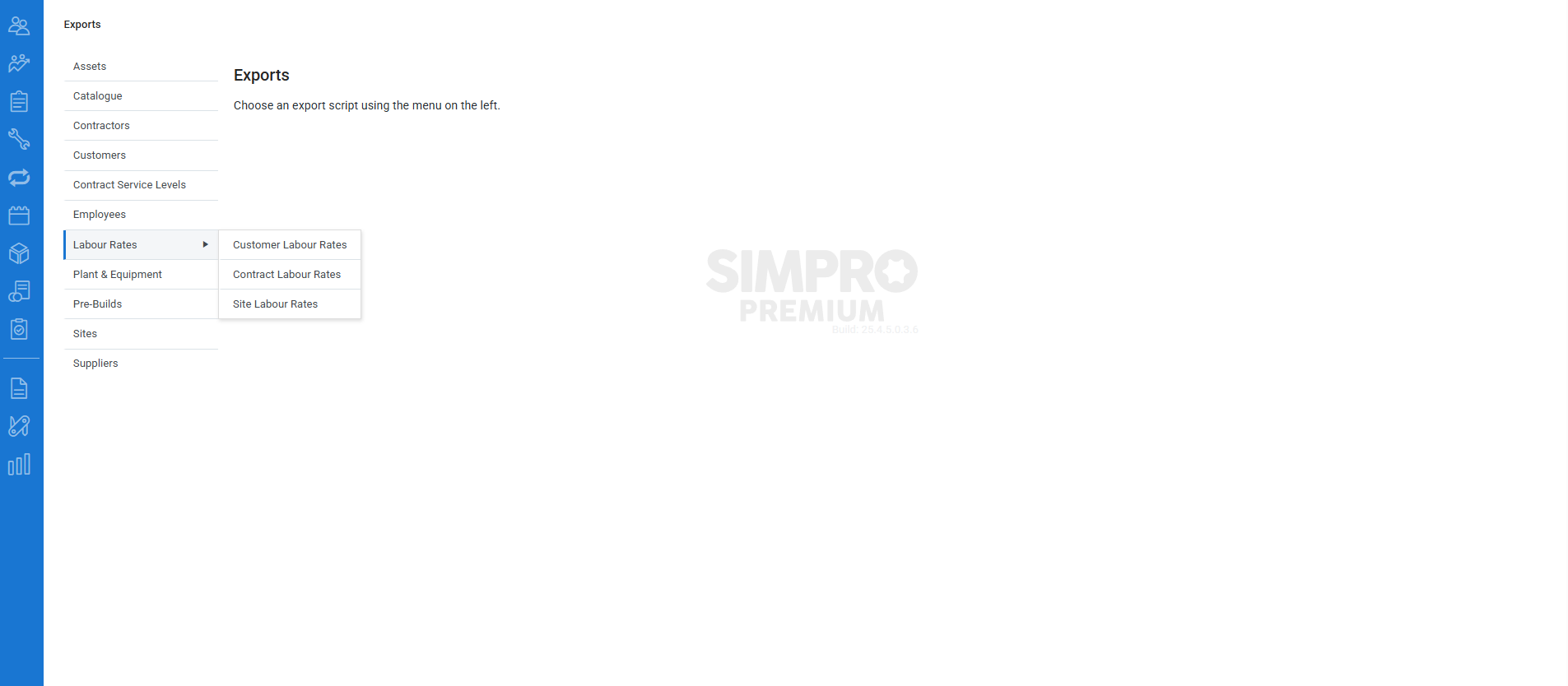
Labour rates exporting is available
Exporting customer labour rates, contract labour rates, and site labour rates are available.
Previously, you could export limited customer information, such as basic profile details, banking details, tags, and custom fields. With this enhancement, now you can export all three types of labour rates by navigating to Utilities > Exports > Labour Rates to download them.
|
Get a sneak peek |
|---|
|
|
| Read the Help Guide |
|---|
“Banner Alerts” renamed to “Reminders”
The Banner Alerts tab in the customer profile and site profile, which helps you surface important information more prominently, has been renamed to Reminders.
People Management permissions moved to new People tab
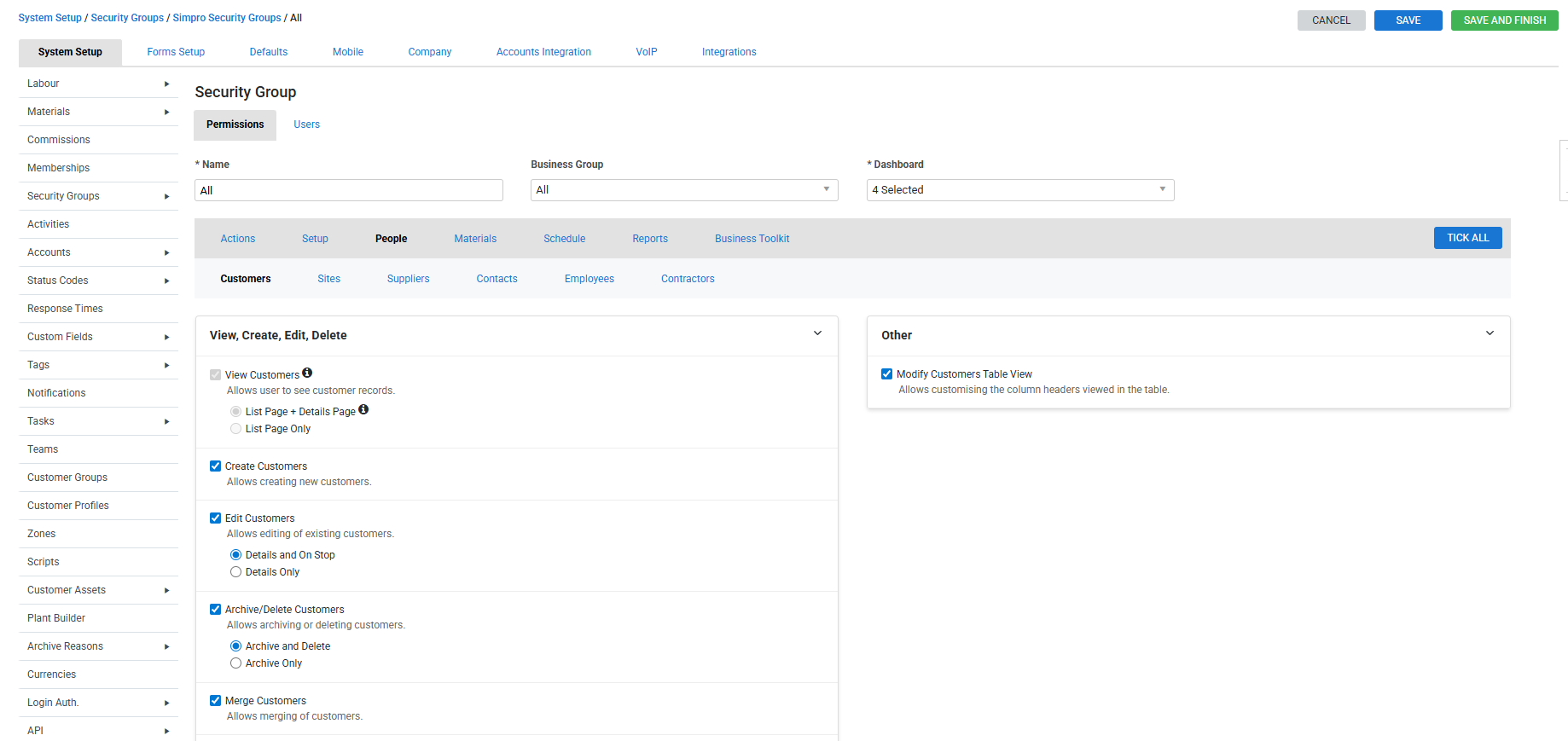
In System Setup > Security Groups > Simpro Security Group, we’ve added the People permissions tab. This gives you more control over what your employees can see or do when working with Customers, Sites, Suppliers, Contacts, Employees, and Contractors.
With this option, you can easily customise the permission level for your staff so they only access the information that’s appropriate for their role.
Introducing 'View' only permissions to Customers section
We have added new view only permissions under People > Customers. You can now limit employee access to the customer list page and customer details page, or limit access to only the customer list page.
|
Get a sneak peek |
|---|
|
|
| Read the Help Guide |
|---|
Improvements
- When exporting stock take, it now includes the System Stock and Variation columns.
- Previously, the final claim couldn’t be created for a job that wasn’t fully invoiced. Now it has been fixed.
- Emails were being sent with the contractor’s company name appended to the contact name. All fixed.
- In the job Logs tab, lock and unlock cost centre actions were not being recorded correctly in the job logs message. Now it has been fixed.
- An "Error sending email" message occurred when sending some invoices. All fixed.
- Previously, if you entered a trailing space at the end of the Email field and clicked Save in the customer profile, the email address was wiped. This has now been fixed.
- Importing an inventory count was not functioning correctly. This issue has now been fixed.
- The payment link on an invoice form failed and showed the error: “Could not process payment due to ‘An unknown reason’.” Now all fixed.
- Previously, when you assigned stock to a job and saved, it didn’t generate an asset alert to create assets from the assigned stock item. Now all fixed.
- Previously, when you clicked the failed assets, it would direct you to the Asset Failures page, but the table was empty. Now it has been fixed.
- In the Sales Tax report, tax rates with more than three decimal places were not displayed in full. All fixed.
- The alert “Automatic Payment Failed. Manual Payment Required.” was incorrectly triggered for credit notes and void invoices created from recurring invoices. Now it has been fixed.
- Recurring invoice emails were sent separately to additional contacts instead of CC’ing them according to the premium build system setting. All fixed.
- In the Month View of Schedules, filtering by a specific technician did not show the technician’s monthly schedules correctly. Now it has been fixed.
- Previously, if you created a saved search with special characters in the name, some characters were being lost. Now it has been fixed.
- When sending invoices to QuickBooks Online, if business group tracking was enabled, some invoices would fail to export and display the error: “Duplicate Name Exists Error: The name supplied already exists.” Now it has been fixed.
Learning Toolbox
Get up to speed by completing a quick learning material in Simpro's Learning Toolbox.